bloodhound
Six Degrees of Domain Admin, BloodHound CE
Site oficial:
https://github.com/SpecterOps/BloodHound
Empacotamento:
https://gitlab.com/kalilinux/packages/bloodhound
Versão no Kali: 9.2.2-0kali1 · Arquiteturas: amd64 arm64 · Comandos: 4
Metapacotes:
kali-linux-everything
Documentação do Kali:
https://www.kali.org/tools/bloodhound/
This package contains BloodHound Community Edition, a single page Javascript web application. BloodHound uses graph theory to reveal the hidden and often unintended relationships within an Active Directory environment. Attackers can use BloodHound to easily identify highly complex attack paths that would otherwise be impossible to quickly identify. Defenders can use BloodHound to identify and eliminate those same attack paths. Both blue and red teams can use BloodHound to easily gain a deeper understanding of privilege relationships in an Active Directory environment.
sudo apt install bloodhound (281.25 MB)
Dependências: curl, kali-defaults, neo4j, postgresql
Escolha um comando ao lado para ver a descrição e a ajuda completa.
bloodhound
root@kali:~# bloodhound -h
┏━(Message from Kali developers)
┃
┃ The command bloodhound is deprecated. Please use bloodhound-start instead.
┃
┗━
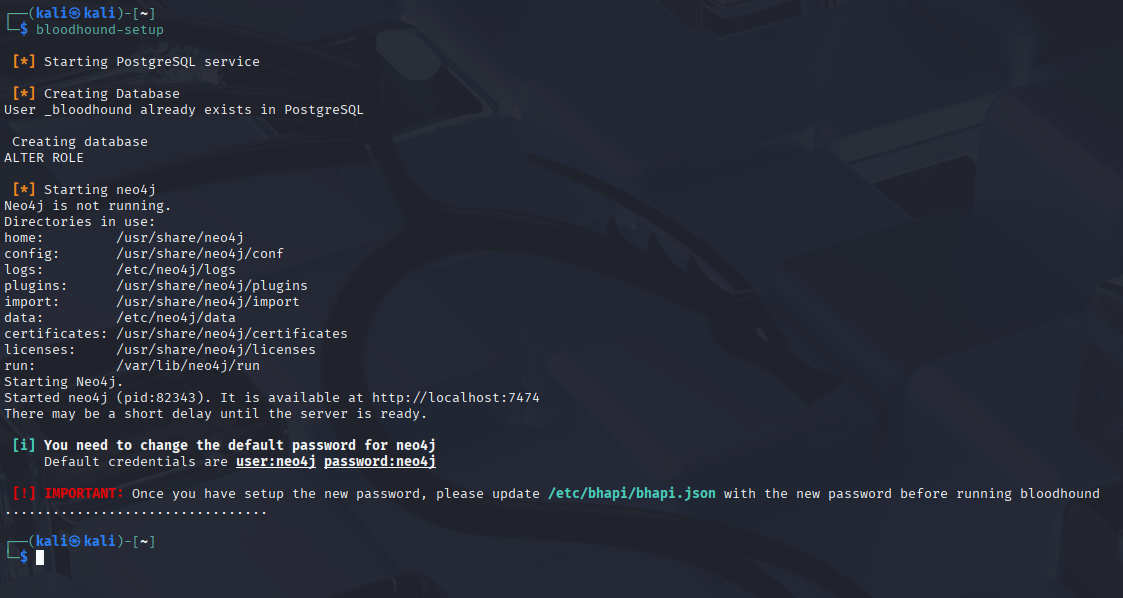
bloodhound-setup
root@kali:~# bloodhound-setup -h

 [*] Starting PostgreSQL service

 [*] Creating Database
User _bloodhound already exists in PostgreSQL
Database bloodhound already exists in PostgreSQL
ALTER ROLE

 [*] Starting neo4j
Neo4j is not running.
Directories in use:
home:         /usr/share/neo4j
config:       /usr/share/neo4j/conf
logs:         /etc/neo4j/logs
plugins:      /usr/share/neo4j/plugins
import:       /usr/share/neo4j/import
data:         /etc/neo4j/data
certificates: /usr/share/neo4j/certificates
licenses:     /usr/share/neo4j/licenses
run:          /var/lib/neo4j/run
Starting Neo4j.
Started neo4j (pid:62045). It is available at http://localhost:7474
There may be a short delay until the server is ready.

 [i] You need to change the default password for neo4j
     Default credentials:
         user: neo4j
         password: neo4j

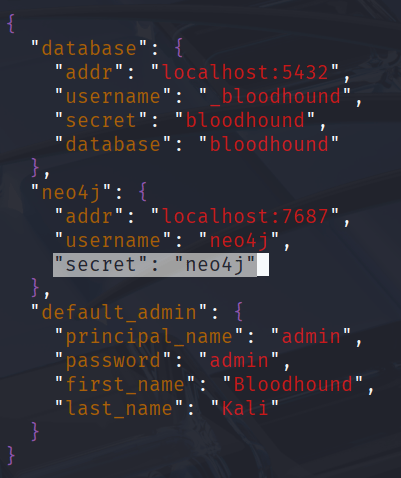
 [!] IMPORTANT: Once you have setup the new password, please update /etc/bhapi/bhapi.json with the new password before running bloodhound
.....................
bloodhound-start
root@kali:~# bloodhound-start -h

It seems it's the first time you run bloodhound
Please run bloodhound-setup first
bloodhound-stop
root@kali:~# bloodhound-stop -h

┏━(Message from Kali developers)
┃
┃ Service status:
┃   * bloodhound.service - Bloodhound service
┃        Loaded: loaded (/usr/lib/systemd/system/bloodhound.service; 5:185mdisabled; preset: 5:185mdisabled)
┃        Active: inactive (dead)
┃
┗━

Neo4j is not running.
How to install and run Bloodhound
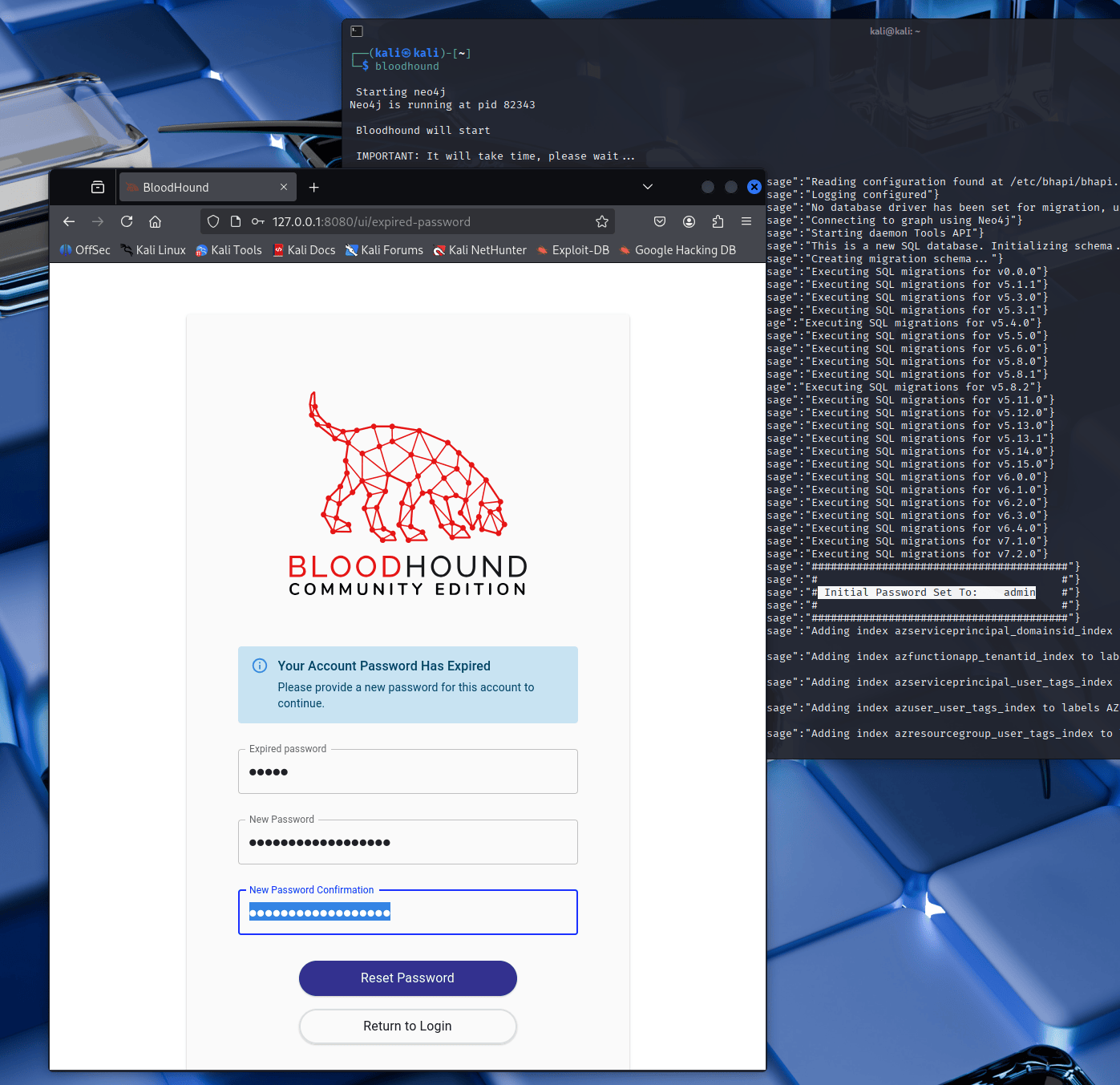
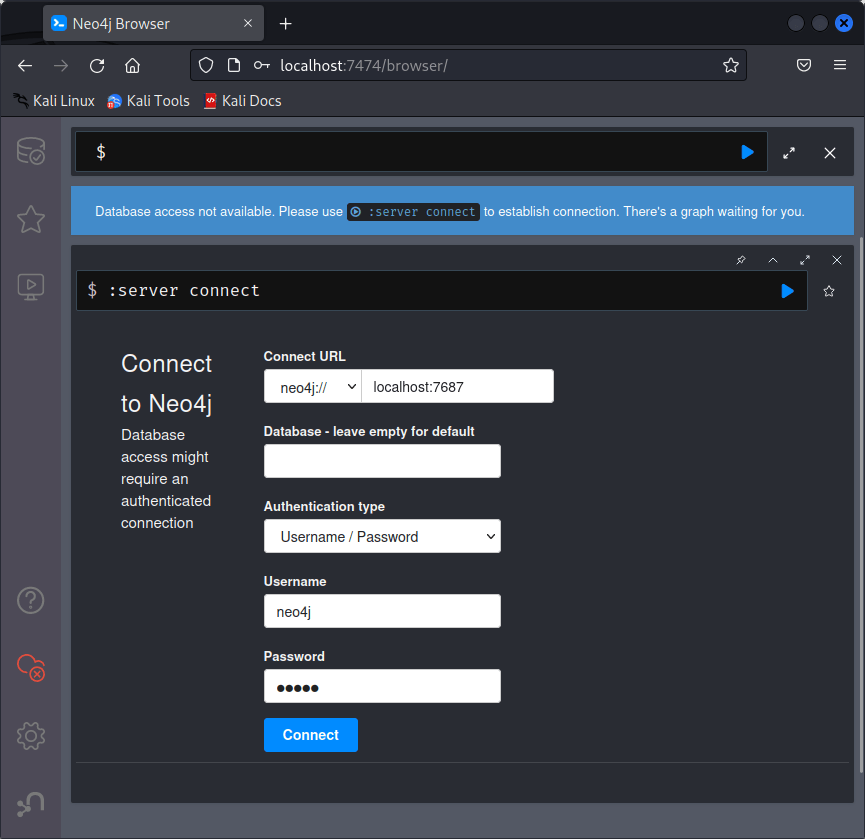
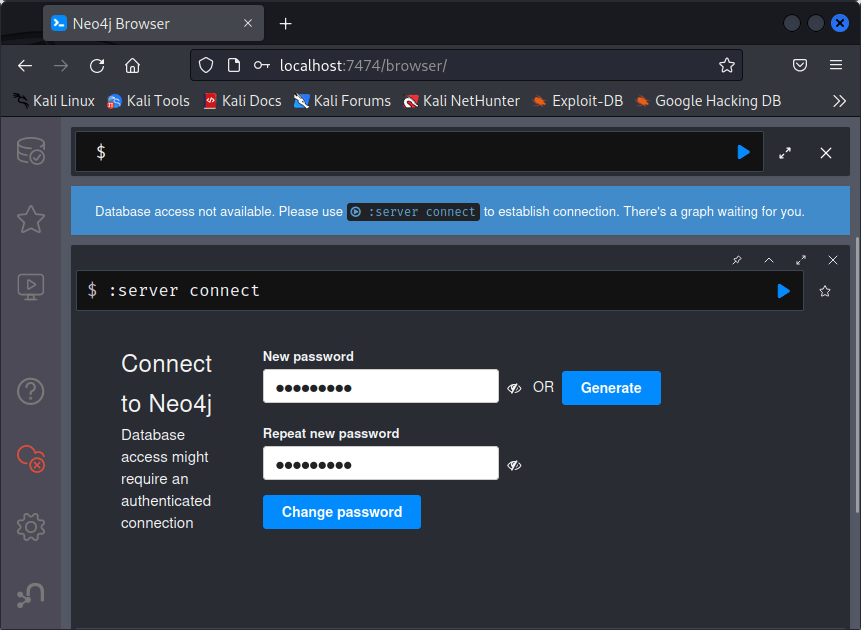
Update your package list and install BloodHound from the official Kali repository:: After installation, run BloodHound's configuration script: This will initialize the necessary services and configurations.  1. Open a browser and navigate to http://localhost:7474. 2. Login using the default credentials: Bloodhound's default credentials:  You will be prompted to set a new password. Choose a secure one and remember it.  Now that you've updated the Neo4j password, update the BloodHound API config file to reflect the change (replace the password `"secret": "neo4j"`).  You can finally run bloodhound with the default credentials. You will be asked to set a new secure password. 
┌──(kali㉿kali)-[~]
└─$ sudo apt update && sudo apt install -y bloodhound

┌──(kali㉿kali)-[~]
└─$ sudo bloodhound-setup

  username: neo4j
  password: neo4j

┌──(kali㉿kali)-[~]
└─$ sudo vim /etc/bhapi/bhapi.json

┌──(kali㉿kali)-[~]
└─$ sudo bloodhound

username: admin
password: admin
Reset Bloodhound's admin password:
┌──(kali㉿kali)-[~]
└─$ sudo env bhe_recreate_default_admin=true bloodhound