zaproxy
Testing tool for finding vulnerabilities in web applications
Site oficial:
https://github.com/zaproxy/zaproxy
Empacotamento:
https://gitlab.com/kalilinux/packages/zaproxy
Versão no Kali: 2.17.0-0kali1 · Arquiteturas: all · Comandos: 2
Metapacotes:
kali-linux-everything
kali-linux-large
kali-tools-identify
kali-tools-web
Documentação do Kali:
https://www.kali.org/tools/zaproxy/
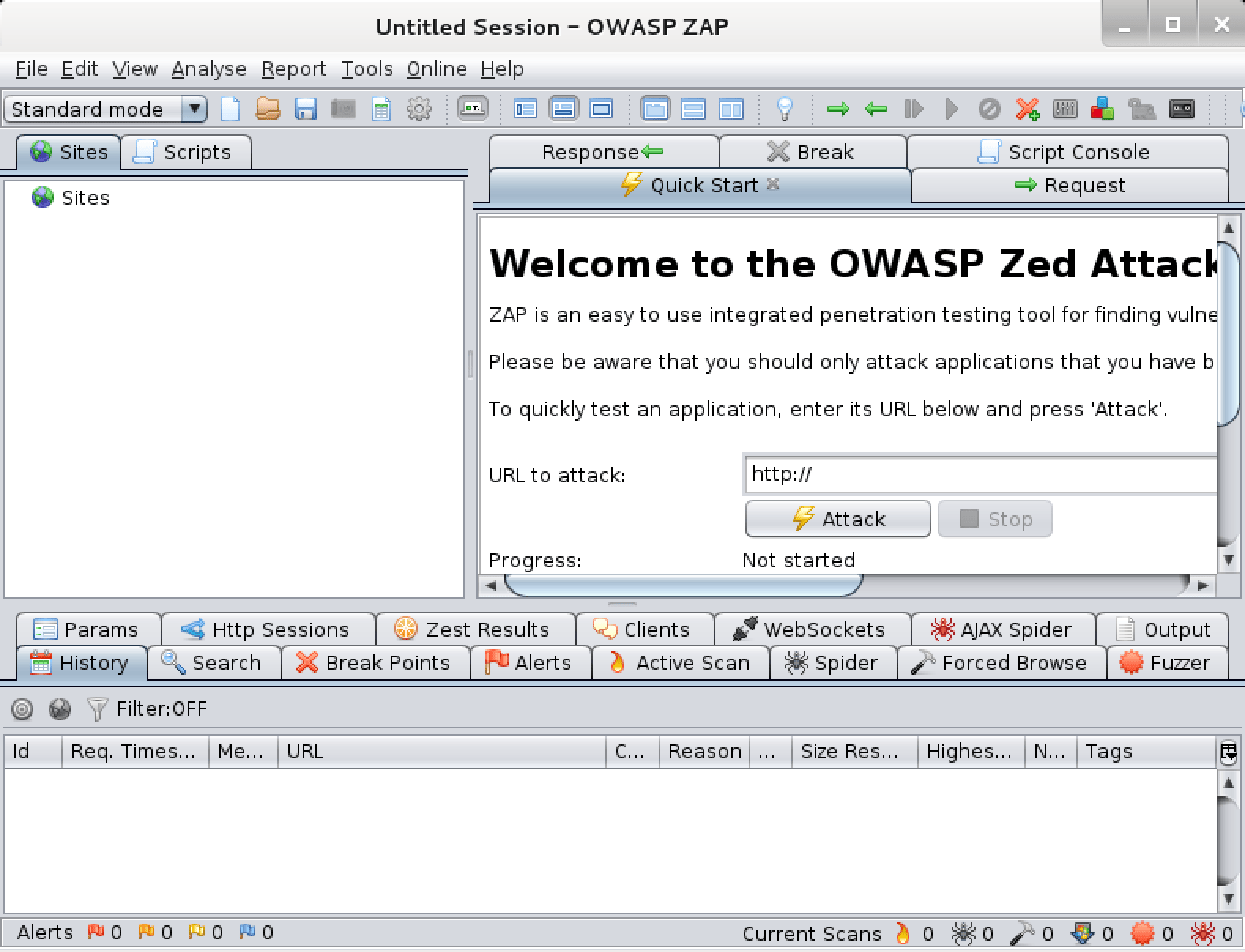
The OWASP Zed Attack Proxy (ZAP) is an easy to use integrated penetration testing tool for finding vulnerabilities in web applications. It is designed to be used by people with a wide range of security experience and as such is ideal for developers and functional testers who are new to penetration testing as well as being a useful addition to an experienced pen testers toolbox.
sudo apt install zaproxy (266.90 MB)
Dependências: default-jre
Escolha um comando ao lado para ver a descrição e a ajuda completa.
owasp-zap
root@kali:~# owasp-zap -h
Found Java version 25.0.3
Available memory: 7942 MB
Using JVM args: -Xmx1985m
Usage:
	zap.sh [Options]
Core options:
	-version                 Reports the ZAP version
	-cmd                     Run inline (exits when command line options complete)
	-daemon                  Starts ZAP in daemon mode, i.e. without a UI
	-config <kvpair>         Overrides the specified key=value pair in the configuration file
	-configfile <path>       Overrides the key=value pairs with those in the specified properties file
	-dir <dir>               Uses the specified directory instead of the default one
	-installdir <dir>        Overrides the code that detects where ZAP has been installed with the specified directory
	-h                       Shows all of the command line options available, including those added by add-ons
	-help                    The same as -h
	-newsession <path>       Creates a new session at the given location
	-session <path>          Opens the given session after starting ZAP
	-lowmem                  Use the database instead of memory as much as possible - this is still experimental
	-experimentaldb          Use the experimental generic database code, which is not surprisingly also still experimental
	-nostdout                Disables the default logging through standard output
	-loglevel <level>        Sets the log level, overriding the values specified in the log4j2.properties file in the home directory
	-sbomzip <path>          Creates a zip file containing all of the available SBOMs
	-suppinfo                Reports support info to the command line and exits
	-silent                  Ensures ZAP does not make any unsolicited requests, including check for updates
Add-on options:
	-quickurl <target url>   The URL to attack, e.g. http://www.example.com
	-quickout <filename>     The file to write the HTML/JSON/MD/XML results to (based on the file extension)
	-quickprogress:          Display progress bars while scanning
	-zapit <target url>      The URL to perform a quick 'reconnaissance' scan on, e.g. http://www.example.com The -cmd option must be specified
	-certload <path>         Loads the Root CA certificate from the specified file name
	-certpubdump <path>      Dumps the Root CA public certificate into the specified file name, this is suitable for importing into browsers
	-certfulldump <path>     Dumps the Root CA full certificate (including the private key) into the specified file name, this is suitable for importing into ZAP
	-host <host>             Overrides the host of the main proxy, specified in the configuration file
	-port <port>             Overrides the port of the main proxy, specified in the configuration file
	-addoninstall <addOnId>   Installs the add-on with specified ID from the ZAP Marketplace
	-addoninstallall          Install all available add-ons from the ZAP Marketplace
	-addonuninstall <addOnId> Uninstalls the Add-on with specified ID
	-addonupdate              Update all changed add-ons from the ZAP Marketplace
	-addonlist                List all of the installed add-ons
	-script <script>         Run the specified script from commandline or load in GUI
	-hud                     Launches a browser configured to proxy through ZAP with the HUD enabled, for use in daemon mode
	-hudurl <url>            Launches a browser as per the -hud option with the specified URL
	-hudbrowser <browser>    Launches a browser as per the -hud option with the specified browser, supported options: Chrome, Firefox by default Firefox
	-notel                   Turns off telemetry calls
	-openapifile <path>      Imports an OpenAPI definition from the specified file name
	-openapiurl <url>        Imports an OpenAPI definition from the specified URL
	-openapitargeturl <url>  The Target URL, to override the server URL present in the OpenAPI definition. Refer to the help for supported format.
	-postmanfile <path>          Imports a Postman collection from the specified file name.
	-postmanurl <url>            Imports a Postman collection from the specified URL.
	-postmanendpointurl <url>    The endpoint URL, to override the base URLs present in the Postman collection.
	-graphqlfile <path>       Imports a GraphQL Schema from a File
	-graphqlurl <url>         Imports a GraphQL Schema from a URL
	-graphqlendurl <url>      Sets the Endpoint URL
	-autorun <source>        Run the automation jobs specified in the file or from the URL
	-autogenmin <filename>   Generate template automation file with the key parameters
	-autogenmax <filename>   Generate template automation file with all parameters
	-autogenconf <filename>  Generate template automation file using the current configuration
	-autocheck <source>      Check the specified automation plan in the file or from the URL
zaproxy
root@kali:~# zaproxy -h
Found Java version 25.0.3
Available memory: 7942 MB
Using JVM args: -Xmx1985m
Usage:
	zap.sh [Options]
Core options:
	-version                 Reports the ZAP version
	-cmd                     Run inline (exits when command line options complete)
	-daemon                  Starts ZAP in daemon mode, i.e. without a UI
	-config <kvpair>         Overrides the specified key=value pair in the configuration file
	-configfile <path>       Overrides the key=value pairs with those in the specified properties file
	-dir <dir>               Uses the specified directory instead of the default one
	-installdir <dir>        Overrides the code that detects where ZAP has been installed with the specified directory
	-h                       Shows all of the command line options available, including those added by add-ons
	-help                    The same as -h
	-newsession <path>       Creates a new session at the given location
	-session <path>          Opens the given session after starting ZAP
	-lowmem                  Use the database instead of memory as much as possible - this is still experimental
	-experimentaldb          Use the experimental generic database code, which is not surprisingly also still experimental
	-nostdout                Disables the default logging through standard output
	-loglevel <level>        Sets the log level, overriding the values specified in the log4j2.properties file in the home directory
	-sbomzip <path>          Creates a zip file containing all of the available SBOMs
	-suppinfo                Reports support info to the command line and exits
	-silent                  Ensures ZAP does not make any unsolicited requests, including check for updates
Add-on options:
	-certload <path>         Loads the Root CA certificate from the specified file name
	-certpubdump <path>      Dumps the Root CA public certificate into the specified file name, this is suitable for importing into browsers
	-certfulldump <path>     Dumps the Root CA full certificate (including the private key) into the specified file name, this is suitable for importing into ZAP
	-host <host>             Overrides the host of the main proxy, specified in the configuration file
	-port <port>             Overrides the port of the main proxy, specified in the configuration file
	-addoninstall <addOnId>   Installs the add-on with specified ID from the ZAP Marketplace
	-addoninstallall          Install all available add-ons from the ZAP Marketplace
	-addonuninstall <addOnId> Uninstalls the Add-on with specified ID
	-addonupdate              Update all changed add-ons from the ZAP Marketplace
	-addonlist                List all of the installed add-ons
	-notel                   Turns off telemetry calls
	-openapifile <path>      Imports an OpenAPI definition from the specified file name
	-openapiurl <url>        Imports an OpenAPI definition from the specified URL
	-openapitargeturl <url>  The Target URL, to override the server URL present in the OpenAPI definition. Refer to the help for supported format.
	-autorun <source>        Run the automation jobs specified in the file or from the URL
	-autogenmin <filename>   Generate template automation file with the key parameters
	-autogenmax <filename>   Generate template automation file with all parameters
	-autogenconf <filename>  Generate template automation file using the current configuration
	-autocheck <source>      Check the specified automation plan in the file or from the URL
	-quickurl <target url>   The URL to attack, e.g. http://www.example.com
	-quickout <filename>     The file to write the HTML/JSON/MD/XML results to (based on the file extension)
	-quickprogress:          Display progress bars while scanning
	-zapit <target url>      The URL to perform a quick 'reconnaissance' scan on, e.g. http://www.example.com The -cmd option must be specified
	-graphqlfile <path>       Imports a GraphQL Schema from a File
	-graphqlurl <url>         Imports a GraphQL Schema from a URL
	-graphqlendurl <url>      Sets the Endpoint URL
	-script <script>         Run the specified script from commandline or load in GUI
	-hud                     Launches a browser configured to proxy through ZAP with the HUD enabled, for use in daemon mode
	-hudurl <url>            Launches a browser as per the -hud option with the specified URL
	-hudbrowser <browser>    Launches a browser as per the -hud option with the specified browser, supported options: Chrome, Firefox by default Firefox
	-postmanfile <path>          Imports a Postman collection from the specified file name.
	-postmanurl <url>            Imports a Postman collection from the specified URL.
	-postmanendpointurl <url>    The endpoint URL, to override the base URLs present in the Postman collection.
Screenshots